
This product is available for local installation in your IT environment or your chosen PaaS solution.
Patch third-party apps with SCCM and Intune
Patch management in
SCCM and Intune
Patch Connect Plus integrates with Microsoft SCCM and Intune to add more functionality to the two endpoint management platforms. Choose from a large number of third-party applications ready to be deployed to endpoints. Automate the deployment of third-party updates across your company's IT environment.
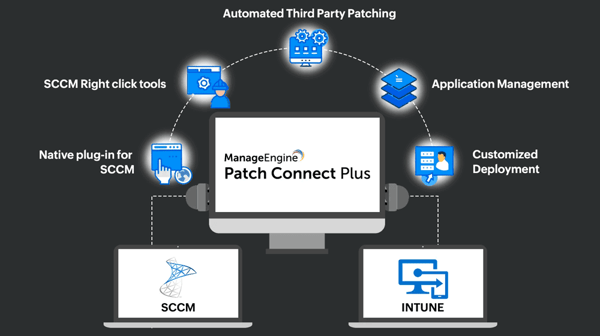
Support for 470+ third-party applications
Patch Connect Plus is a tool that helps deploy patches to over 470 third-party applications such as Adobe, Java and WinRAR using your existing Microsoft System Center Configuration Manager (SCCM) and Intune.
A few selected functions
Automated patching
Schedule regular scans to get vulnerability information and patch systems automatically using SCCM and Intune.
Get more out of SCCM
By using the same SCCM console, you don't need to learn a new interface for third-party application patch management.
Patch only the apps you want
Approve patches only for the applications that matter to you, giving you better control over which applications you patch.
Intelligent patching
Deploy patches to applications when they are not in use, increasing the reliability of the installation process.
Notifications
Receive different types of notifications, such as patch status reports, time of the latest database update and newly supported products.
Two editions
Patch Connect Plus is available for both Microsoft SCCM and SCUP, with the former offering more functionality.
Create applications
Create the applications you need in SCCM and Microsoft Endpoint Manager from a large repository of supported applications. You can also customize application deployment to your needs with scripts and templates.
Automatic patch detection
Discover newly added applications in the network and publish patches automatically. Get a list of installed applications and be notified when a new application is detected in the network.
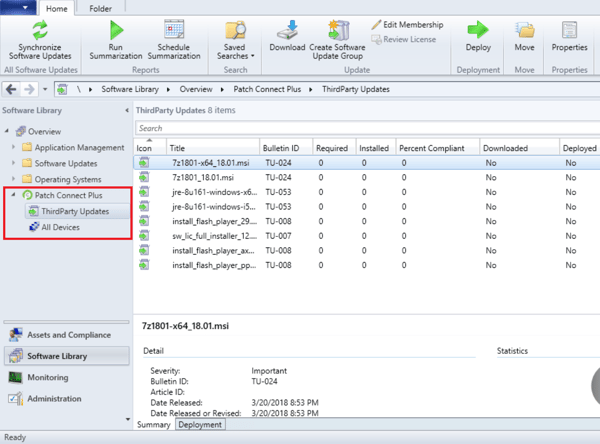
Native plug-in for SCCM
Patch the applications you want without filtering through the entire list of third-party applications in the SCCM console. This plug-in lists all available third-party updates, along with key reports on client computers.
Download and try for 30 days
Download a fully functional version of the product and try it for 30 days. Support is included during the evaluation period.
Fill in your details to get started.
Import CVEs to deploy patches via SCCM or Intune
You can import a list of CVEs into Patch Connect Plus and automatically map patches to CVE IDs, then deploy them with Microsoft SCCM or Intune.
