
This product is available as a cloud service (SaaS) in the EU.
Proactive IT – fewer tickets, happier users
Insights, smart analytics and automated actions
DEX Manager Plus brings real-time data, insights and automation together in a single console. It replaces siloed tools and reactive solutions with unified visibility and control. With features such as benchmarking, root cause analysis (RCA) and silent remediation, IT teams can move from firefighting to proactive management of the user experience.
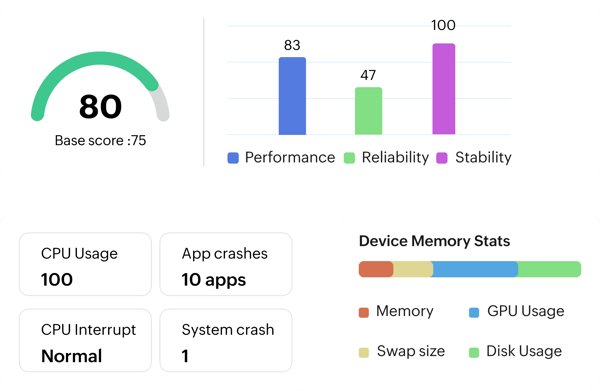
Detect issues early with deep insight into device health and user experience:
- Get a real-time overview of key performance data – such as CPU, memory, disk, battery, GPU, boot time, logon time and more.
- Set your own thresholds to be alerted when performance degrades.
- Compare device performance across the entire organization and quickly identify anomalies and bottlenecks.
Faster root cause analysis
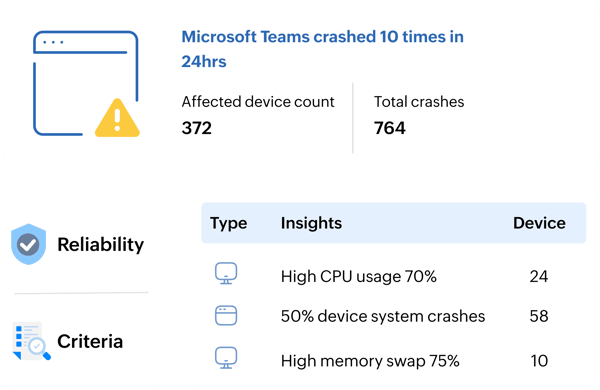
- Get real-time alerts based on thresholds – with related events automatically grouped to reduce alert fatigue.
- Leverage telemetry data to identify contributing factors and find the cause of problems in hardware, software and applications.
- Focus remediation efforts with built-in root cause analysis that highlights the most affected components and suggests next steps.
Faster problem resolution with automation
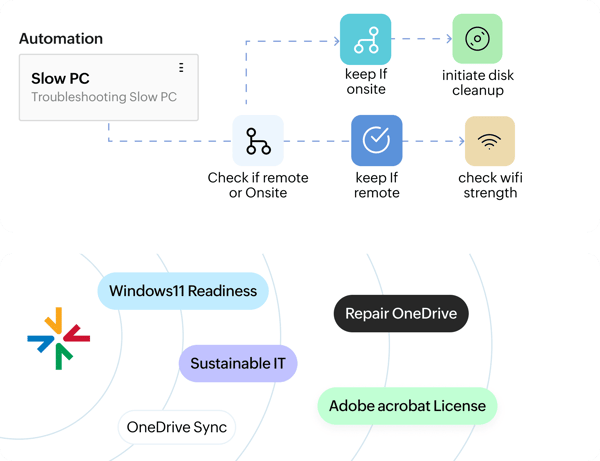
- Deploy silent scripts or workflow-based fixes to address issues such as application crashes, slow boot, resource strain and much more.
- Use the Action Library to quickly plug in ready-made data collectors, scripts, workflows and dashboards for rapid identification and remediation.
- Create and reuse custom data collectors and remediation flows to meet your organization's unique needs.
UEM + DEX – autonomous endpoint management in a single platform
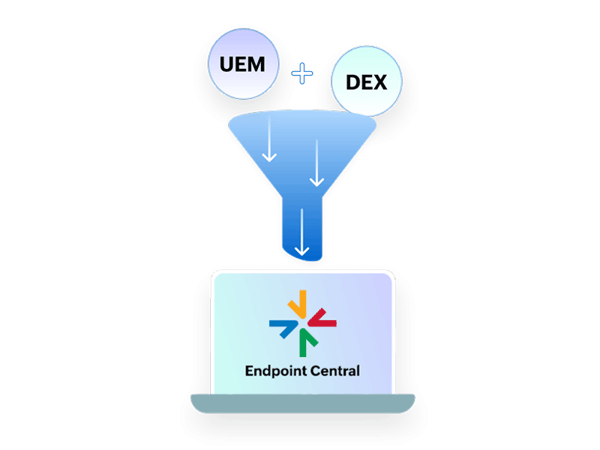
- Get device management, security and user insights in one solution that delivers autonomous endpoint operations from a single console.
- Troubleshoot directly with remote control, command prompt and file transfer.
- Let users install apps and resolve common issues via self-service.
- Deploy updates in the background without interruption and grant time-limited access when needed – for increased security and productivity.
Try for 30 days
Try a fully functional version of the service for 30 days. Support is included during the evaluation period.
Fill in your details to get started.