
This product is available for local installation in your IT environment or your chosen PaaS solution.
Microsoft 365 management and reporting
Microsoft 365 reporting
M365 Manager Plus comes with over 200 preconfigured reports for Microsoft 365. It consolidates data from Exchange Online, Azure Active Directory, Skype for Business, OneDrive for Business, Teams and other Microsoft 365 components into detailed reports, giving you full visibility into your Office 365 configuration.

Microsoft 365 management
Manage Microsoft 365 smoothly with sophisticated features that enable bulk management of users, groups, licenses, mailboxes and much more, significantly reducing the time spent on administration.
Microsoft 365 auditing
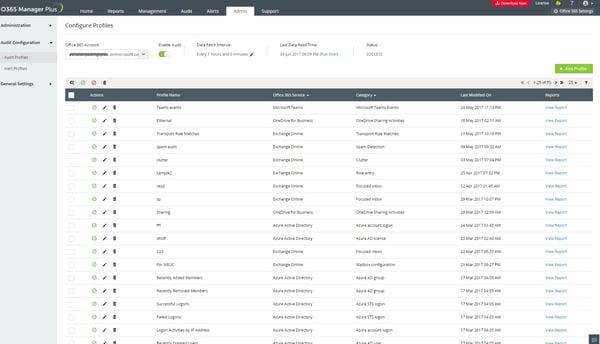
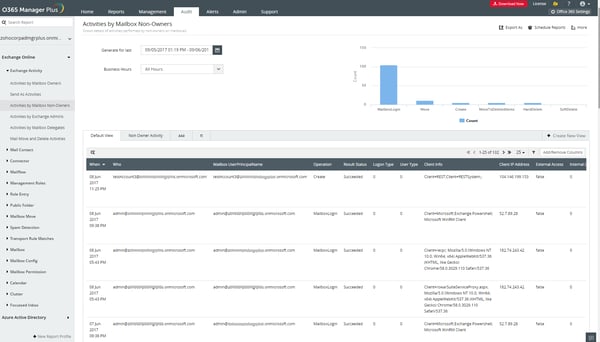
Monitor every event in your Office 365 environment to take preventive action and avoid serious problems. Know who did what and when it happened. Get a clear report on user activities across all Microsoft 365 components in one place. You can also keep your logs for as long as you like, without the limitations of your Microsoft 365 license.
Microsoft 365 alerts
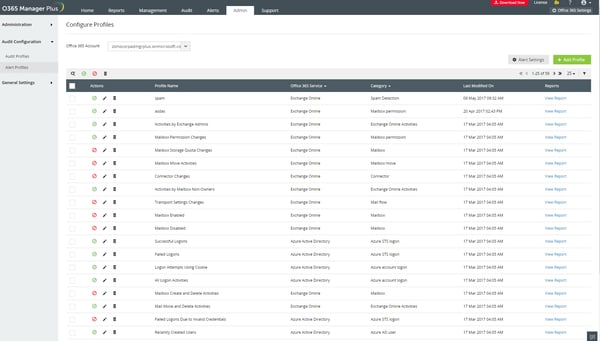
Get notified of critical activities and changes happening in your Microsoft 365 environment. Create custom alerts for each Office 365 service, saving time by eliminating the need to constantly check audit reports for anomalous activity.
A few selected functions
Mailbox reports
Analyze your organization's Microsoft 365 mailbox traffic with invaluable information such as spam volumes, most active users and more
Users and groups
Analyze users and groups in your Microsoft 365 environment with ready-made reports – a better alternative to building PowerShell scripts.
Security reports
Make sure you achieve a high level of security across your entire Microsoft 365 environment and meet the compliance requirements that apply to your organization, such as HIPAA, SOX, GDPR, PCI DSS and ISO.
Mailbox management
Manage your Microsoft 365 environment, with services such as Exchange Online and Azure Active Directory, with the features you need easily accessible.
Bulk management saves time
Configure users, groups and licenses in bulk to save time and reduce administration.
Logon auditing
Monitor failed logon attempts that are indicators of brute force attacks.
Download and try for 30 days
Download a fully functional version of the product and try it for 30 days. Support is included during the evaluation period.
Fill in your details to get started.
What M365 Manager Plus can do that Office 365 or PowerShell can't
This eBook explains how M365 Manager Plus (formerly O365 Manager Plus) fills the gaps in the Office 365 admin center and PowerShell when it comes to managing Office 365 efficiently.

Explore M365 Manager Plus
