Modern attackers rarely break in. They log in using real user credentials, so everything looks normal. The question is no longer whether you have logs, but whether you’ll have time to understand what they say.
Everything looks normal
Imagine a completely ordinary night. At 3:12 a.m., a service account logs in to a domain controller. A few minutes later, a new user account is created and added to the Domain Admins group. A group policy is changed. Shortly after, a user begins accessing thousands of files on a file server that they normally never access.
No firewall triggers an alert, and no antivirus software reacts. Technically speaking, each individual event is a legitimate action, performed by an account with the proper permissions. This is not an unusual scenario. This is what many ransomware attacks look like in the hours before encryption begins.
That’s why it first becomes visible in the identity layer
Active Directory and Entra ID control who is allowed to do what throughout your entire IT environment. An attacker who wants to move forward must therefore, sooner or later, tamper with the identity layer—for example, by creating accounts, elevating privileges, or changing policies. Every such change leaves traces.
The problem is that these traces are hard to find. The built-in logs in Windows and Entra ID are scattered across multiple domain controllers and portals. They’re also technical and full of noise. Piecing together what happened on a particular night after the fact can take days. By then, the attacker has already gained a head start of several days.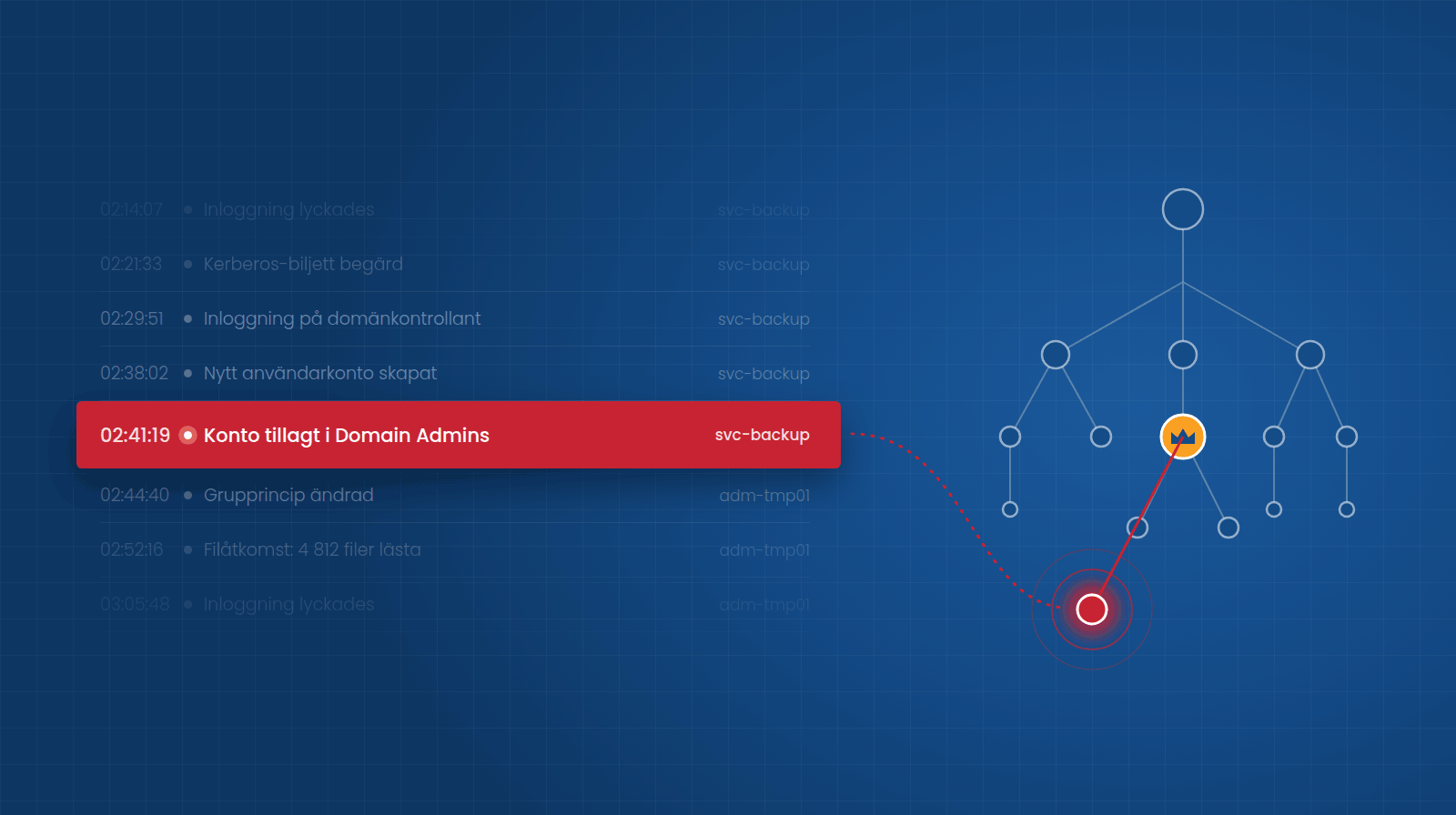
From logs to answers within 24 hours
The Cybersecurity Act, which is Sweden’s implementation of NIS2, sets clear requirements for both speed and accountability. For covered organizations, this means, among other things, that a significant incident must be reported with an early warning within 24 hours and a full report within 72 hours. It is therefore not enough to simply have security measures in place on paper. Management must also be able to demonstrate that they work in practice.
The first questions a regulatory authority, an auditor, or your own management will ask are roughly the same every time: Which accounts were involved? What was changed? When did it happen, and from where? Can you prove it?
If the answer requires someone to manually sift through event logs on multiple servers, 24 hours is a very short time.
Three questions to ask about your own environment
- Do you receive an alert today if someone is added to a privileged group in the middle of the night?
- Can you see within a few minutes who changed a specific group policy last month, and what it looked like before?
- Do you know how many active accounts belong to people who no longer work for your organization?
If any of the answers are “no” or “it would take time to find out,” you’re not alone. But those are precisely the gaps an attacker exploits.
Here’s how to gain visibility: ADAudit Plus
ADAudit Plus from ManageEngine monitors Active Directory, Entra ID, file servers, and Windows servers, bringing everything together in a single interface. In practice, this means four things:
- You receive real-time alerts when sensitive changes occur, with details on who did what, when, and from where.
- You see the before and after for each change, so you can quickly understand what has actually changed.Restore directly from the audit log.
- Anomalies are automatically flagged, such as logins outside of business hours or an unusually high number of failed login attempts.
- You have ready-made reports for traceability and auditing, instead of having to create them manually when the need arises.
You’ll be up and running in just a few hours
This isn’t a project that requires months of planning. ADAudit Plus is installed and up and running in just an hour, and you can start receiving alerts and generating your first reports the very same day. This gives you a quick overview and control over changes in your AD environment, allowing you to start working more proactively as early as this week.
Detect > Remediate > Protect
Visibility is the first step, but not the last. ManageEngine offers complementary solutions for the next step:
- ADManager Plus is used to clean up inactive accounts and automate offboarding.
- PAM360 protects the most critical, privileged accounts.
- Log360 collects logs and security analytics from across the entire environment and includes ADAudit Plus. This makes it a natural next step as your needs grow beyond AD and Entra ID.
You don’t have to do everything at once. The important thing is to start where the risk is greatest.
Next Steps
Our technical specialists will help you get started on the right foot from the very beginning. It’s about what to monitor, which alerts are worth acting on, and how the reports are used in your compliance efforts. The goal is a tool that’s actually used—not just another license sitting unused.

